

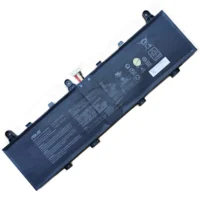








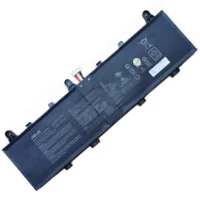
Asus ROG Zephyrus Duo 15 SE GX551QR Original Laptop Battery 90Wh 15.4V

Description
| Asus ROG Zephyrus Duo 15 SE GX551QR battery Specifications | |
| Availability: | In stock |
| Battery Type: | Li-Ion |
| Capacity: | 90Wh |
| Voltage: | 15.4V |
| Color: | Black |
| The condition of the product: | Band New , Original |
| Guarantee: | 24 Months |
HP-battery laptop battery for Asus GX551QR is built to last, giving you dependable mobile power when you need it most……charge after charge.
- 100% Original Asus GX551QR battery, guaranteed. CE, FCC & RoHS approved.
- Built-in protection against over-charge, over-voltage and over-current to protect your laptop.
- Outstanding warranty and US support from the hp-battery team.
Asus GX551QR Laptop battery tips:
- 1.Carefulness read narrate book of battery,use commendatory battery.
- 2.New Asus GX551QR notebook battery pack must be fully charged before use.
- 3.New laptop battery needs to be fully charged and discharged (cycled) a few times before it can condition to full capacity.
- 4.Asus GX551QR Rechargeable batteries undergo self-discharging when left unused. Always store a battery pack in a fully charged stage for storage.
- 5.Fully drain and fully recharge your battery pack every few month.
- 6.Li-ion and NiMH battery can not interchangeable.
- 7.Turn down the LCD brightness of your portable device.
- 8.Use built-in power management on your portable device.
- 9.Turn off LCD or other unnecessary accessories when not in use.
- 10.Set screen saver blank to 1 to 2 minutes of your Asus GX551QR laptop.
- 11.It is normal to get warm when charging or normal use. If it is getting too hot, there may be a problem with the device and qualified personnel should check it.
- 12.Research the electric appliance and the batteries contact elements is whether clean, when necessity is clean with the wet cloth mop, after dry loads according to the correct polar direction.
- 13.Asus GX551QR Notebook battery should stock in cool place, and dry.
Fit Machine Models:
- Asus ROG Zephyrus Duo 15 GX550LWS
- Asus ROG Zephyrus Duo 15 GX550LXS
- Asus ROG Zephyrus Duo 15 SE GX551
- Asus ROG Zephyrus Duo 15 SE GX551QS
- Asus ROG Zephyrus Duo 15 SE GX551QR
- Asus ROG Zephyrus Duo 15 SE GX551QM
Compatible with numbers:
- Asus C41N1906



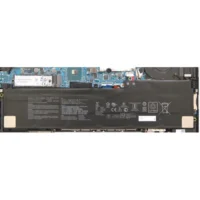
Reviews
There are no reviews yet.