








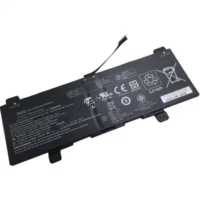
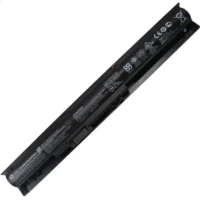
HP L29959-005 Notebook Laptop Battery 60,9 Wh 11.55V

Description
| HP L29959-005 battery Specifications | |
| Availability: | In stock |
| Battery Type: | Li-Ion |
| Capacity: | 60,9 Wh |
| Voltage: | 11.55V |
| Color: | Black |
| The condition of the product: | New , Original |
| Guarantee: | 24 Months |
This hp-l29959-005 L29959-00511.55V Battery is genuine with a wide range of HP laptops. The battery is long-lasting and can supply power for an ideal number of hours. With a new battery, it’s much easier to work on your laptop during the commute or in coffee shops and other public spaces where power outlets are scarce. The 60,9 Wh HP L29959-005 Laptop Genuine Battery ensures that you won’t miss important work.
Better using your Hp L29959-005 Laptop Battery
- Storage – Store your Laptop Batteryin a clean, dry, cool place away from heat and metal objects. The Hp L29959-005 batteries will self-discharge during storage; remember stored at about 40% state-of-charge.
- Charge and discharge – For lithium ion batteries, you do not need to discharge them fully and recharge constantly. You need to do a full discharge only about every 30 charges. Do not charged to higher voltages than its threshold voltage
- Exercise Your L29959-005 Battery – Do not leave your batteries dormant for long periods of time. We recommend using the battery at least once every two to three weeks. If a battery has not been used for a long period of time, perform the new L29959-005 battery break in procedure described above.
- Calibrate Your batteries – If your Battery’s 76% even less in work , you must fully charge, fully discharge, and then fully recharge the Laptop Battery pack.
- Consider removing the L29959-005 battery from a laptop when running on fixed power
- Do not short-circuit. A short-circuit may cause severe damage to the battery.
- Avoid propping your laptop on a pillow, blanket, or other soft surface that can heat up. Your L29959-005 battery is a lot less efficient when not within its standard operating temperature range.
Fit Machine Models:
- HP Chromebook x360 14
- HP ChromeBook x360 14 G1
- HP Chromebook x360 15
Compatible with numbers:
- HP SY03XL
- HP HSTNN-DB8X
- HP L29959-005
- HP SY03060XL
- HP L29913-221
- HP L29913-2C1
- HP L29959-002
- HP L29959-005



Reviews
There are no reviews yet.