
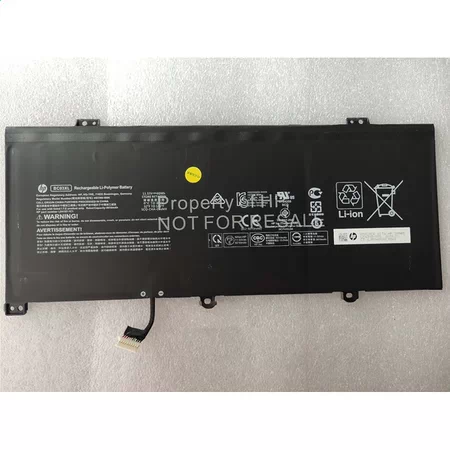









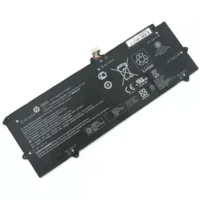
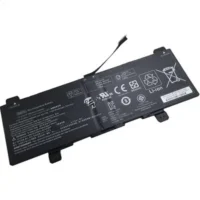
HP L84182-421 Notebook Laptop Battery 5010mAh 11.55V

Description
| HP L84182-421 battery Specifications | |
| Availability: | In stock |
| Battery Type: | Li-Ion |
| Capacity: | 5010mAh |
| Voltage: | 11.55V |
| Color: | Black |
| The condition of the product: | New , Original |
| Guarantee: | 24 Months |
This hp-l84182-421 L84182-42111.55V Battery is genuine with a wide range of HP laptops. The battery is long-lasting and can supply power for an ideal number of hours. With a new battery, it’s much easier to work on your laptop during the commute or in coffee shops and other public spaces where power outlets are scarce. The 5010mAh HP L84182-421 Laptop Genuine Battery ensures that you won’t miss important work.
Better using your Hp L84182-421 Laptop Battery
- Storage – Store your Laptop Batteryin a clean, dry, cool place away from heat and metal objects. The Hp L84182-421 batteries will self-discharge during storage; remember stored at about 40% state-of-charge.
- Charge and discharge – For lithium ion batteries, you do not need to discharge them fully and recharge constantly. You need to do a full discharge only about every 30 charges. Do not charged to higher voltages than its threshold voltage
- Exercise Your L84182-421 Battery – Do not leave your batteries dormant for long periods of time. We recommend using the battery at least once every two to three weeks. If a battery has not been used for a long period of time, perform the new L84182-421 battery break in procedure described above.
- Calibrate Your batteries – If your Battery’s 76% even less in work , you must fully charge, fully discharge, and then fully recharge the Laptop Battery pack.
- Consider removing the L84182-421 battery from a laptop when running on fixed power
- Do not short-circuit. A short-circuit may cause severe damage to the battery.
- Avoid propping your laptop on a pillow, blanket, or other soft surface that can heat up. Your L84182-421 battery is a lot less efficient when not within its standard operating temperature range.
Fit Machine Models:
- HP Pro c640 Chromebook
- HP Pro c640 Chromebook Enterprise
Compatible with numbers:
- HP BC03XL
- HP HSTNN-LB8T
- HP L84182-421
- HP HSTNN-IB9K
- HP BC03060XL


Reviews
There are no reviews yet.